Top picks
N100 firewall · 4× i226-V 2.5GbE · DDR5 · three versions

CWWK 4-Port Firewall Mini PC

CWWK's four-port router box pairs the N100 with Intel i226-V network chips and a single DDR5 slot. It comes in three builds, from bare chassis to 16GB and 256GB, and its storage can grow further than most look-alikes.

  • ProcessorIntel N100
  • Network4× 2.5GbE, Intel i226-V
  • Memory1× DDR5 SO-DIMM, 4800MHz, up to 32GB
  • StorageM.2 NVMe x4, splittable into two x1 drives
  • VersionsBarebone · 8GB/128GB · 16GB/256GB
  • VideoHDMI 2.1 + DP 1.4, 4K@60Hz
Buy it for
  • OPNsense or pfSense on Intel NICs
  • Buyers who want to choose between barebone and ready-to-boot
  • A router that may later host a mirrored pair of small NVMe drives
Skip it for
  • Anyone who needs a fanless guarantee in writing
  • Builds that need SATA for a 2.5-inch drive
See today’s price
Configurations

Three CWWK builds, one chassis

Barebone, 8GB/128GB or 16GB/256GB: the same box three ways

CWWK sells one chassis in three builds, and choosing between them is the main decision. The barebone ships with no memory and no SSD. The two configured versions arrive with DDR5 and an NVMe drive fitted, ready for a router OS. Everything else, from the i226-V ports to the display outputs, is identical.

BuildMemoryStorageFits
BareboneNoneNoneYou have a spare SO-DIMM and NVMe, or want 32GB
8GB / 128GB8GB DDR5128GB NVMeA dedicated OPNsense or pfSense router
16GB / 256GB16GB DDR5256GB NVMeRouter plus IDS, or a small Proxmox host

The 8GB build is the straightforward firewall. A router OS, DNS filtering and a VPN endpoint run in a fraction of that memory, and 128GB is plenty for the OS and months of logs. The 16GB build buys room for Suricata or Zenarmor on several interfaces, or a couple of containers beside the router.

  • Barebone makes sense only if parts are already in a drawer, or you plan to jump straight to a 32GB module.
  • 8GB / 128GB suits a box that will do one job for years.
  • 16GB / 256GB suits a box that will be asked to do three jobs by next spring.

The memory slot takes DDR5 at 4800MHz and accepts faster 5200 or 5600MHz modules, which simply run at 4800. The N100 has one memory channel, so one slot loses nothing in bandwidth. Chip-level limits are covered under N100 specs.

Buying configured also settles compatibility. The fitted module and SSD are parts CWWK has already booted in this board, which removes the one real risk of a barebone: a DDR5 stick the board refuses to train.

Hardware

What’s inside

SpecValue
ModelN100
ProcessorIntel N100 (Alder Lake-N), 4 cores / 4 threads
Memory slot1× SO-DIMM DDR5 4800MHz, accepts 5200/5600MHz modules
Maximum memory32GB
Memory fittedNone, 8GB or 16GB DDR5, by version
Storage fittedNone, 128GB or 256GB NVMe SSD, by version
Primary M.2NVMe, PCIe x4
M.2 splitx4 slot takes an adapter for two M.2 NVMe x1 drives
M.2 wireless slotWi-Fi 6 / Bluetooth module, or an adapter for NVMe or mSATA
Ethernet4× 2.5GbE, Intel i226-V, with filtered RJ45 jacks
VideoHDMI 2.1 + DP 1.4, 4096 × 2160 at 60Hz
EncryptionAES-NI
Operating systemOPNsense
RolesFirewall, gateway, soft router, NAS, VPN
In the boxPower supply

An M.2 x4 slot that splits into two NVMe drives

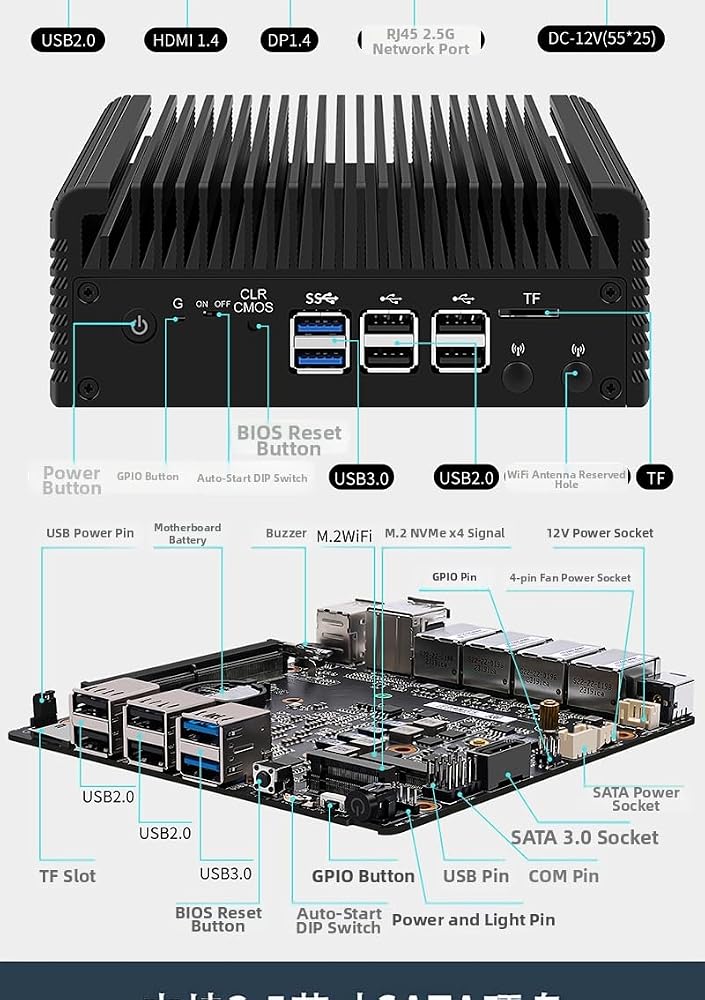
Storage is where this box pulls away from its look-alikes. The main M.2 slot is a full NVMe x4 interface, and CWWK supports an adapter board that splits it into two M.2 NVMe x1 slots. The M.2 wireless slot can also take an adapter for a further NVMe or mSATA drive.

The reason for the adapters is lane budget. The N100 has nine PCIe 3.0 lanes, and four network controllers take one each. Splitting the x4 slot is the way to fit more drives without a bigger board. A PCIe 3.0 x1 link carries roughly 985MB/s, still well beyond what a router or a small file share will ask of it.

  • One x4 drive: the default, fastest single SSD.
  • Two x1 drives: a mirrored ZFS boot pool for OPNsense or Proxmox, so one failed SSD does not take the network down.
  • Plus the wireless slot: a third NVMe or an mSATA drive, if you give up Wi-Fi.
Adapters are separate parts. The box ships with its power supply; the split board and the wireless-slot adapter are not listed among the contents. Budget for them if a mirror is the plan.

A mirrored pair on a router is not overkill. SSDs rarely fail, but when a lone boot drive does, the whole house loses its internet until someone reinstalls. If the router will also serve files or run VMs, see how storage choices play out under N100 home servers.

For a pure firewall the single x4 drive is enough. The split earns its keep once the box also stores backups, container volumes or VM disks.

Market position

How it fits the lineup

N100 mini PC models by type, September 2026. Highlighted: CWWK 4-Port Firewall Mini PC.

Intel i226-V jacks with filtering, OPNsense as the stated OS

The four 2.5GbE ports use Intel i226-V controllers behind RJ45 jacks with filter connectors, the magnetics that clean up the signal on each line. CWWK names OPNsense as the operating system this box is built for, and the i226-V is native hardware there through FreeBSD's igc driver.

AES-NI is on the chip, which speeds IPsec and OpenVPN with AES ciphers. WireGuard uses ChaCha20 and runs well on these cores regardless. For a 1Gbit/s or 2.5Gbit/s uplink with NAT and a sensible rule set, four Gracemont cores are a comfortable fit.

  1. Install a current OPNsense or pfSense image; older installers predate solid igc support.
  2. Assign WAN to one outer port and LAN to its neighbour, and keep the other two for VLANs or a second WAN.
  3. If one port drops link now and then, disable Energy Efficient Ethernet on it before blaming the hardware.

The M.2 wireless slot takes a Wi-Fi 6 and Bluetooth module. That is more useful on Linux than on a firewall OS: FreeBSD's Wi-Fi 6 support lags well behind Linux, so an OPNsense box is usually happier wired to a separate access point. OpenWrt handles an onboard card far better.

Four ports at 2.5GbE each also make link aggregation possible: two ports bonded to a managed switch give a Proxmox host or a busy LAN segment more headroom. For most homes, one port per network is the cleaner design.

HDMI 2.1 and DisplayPort 1.4 both reach 4096 × 2160 at 60Hz. On a router that mostly means an easy install and a painless rescue when an update goes wrong. The wider router field is laid out under N100 firewall mini PCs.

Other options

Three other routes

Where the CWWK box beats the fanless look-alikes

Four i226-V ports in a finned aluminium case describe half the firewall boxes on sale, so the differences are in the details. CWWK's are the three-build choice, the splittable x4 slot and a plainly stated N100. What it does not state is its cooling method, so a buyer who needs silence should confirm it before ordering.

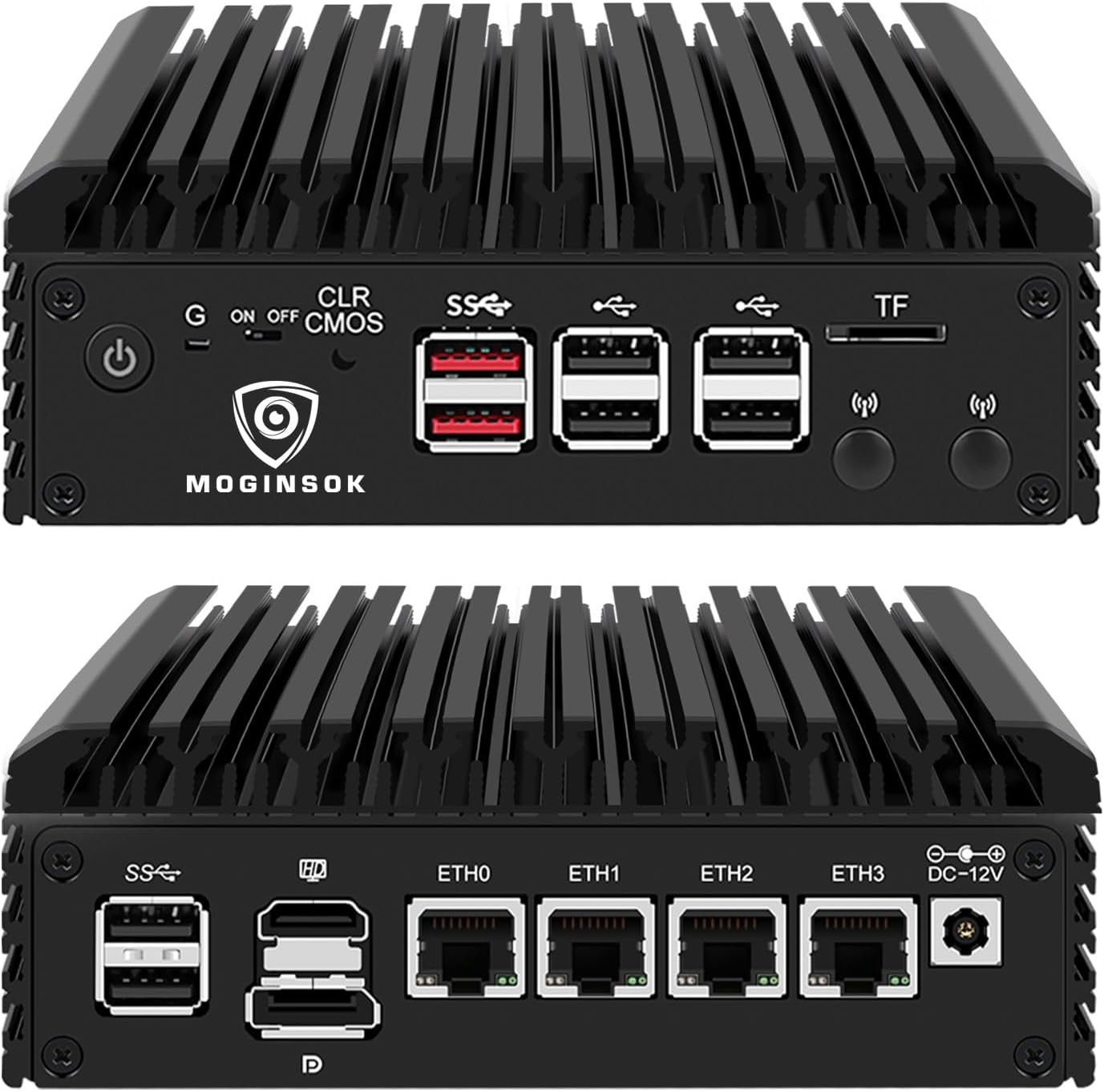
The MOGINSOK appliance is the nearest configured rival, fanless and on I226 chips, though current units carry an N150. The Dozlzyp box has two native NVMe slots in a lengthened fanless chassis but sells only barebone. The oaknode four-port box adds a SATA port and up to 48GB of memory.

  • Pick CWWK for a ready-built Intel NIC router with the most flexible NVMe layout.
  • Pick Dozlzyp for two full NVMe slots without adapters.
  • Pick oaknode for a 2.5-inch SATA drive alongside NVMe.

Match the build to the job, then settle three details. Confirm whether a fan is fitted if the box will sit in a bedroom. Buy the split adapter at the same time if a mirror is planned. And if you choose the barebone, pick a DDR5 SO-DIMM, not DDR4, since the slot is keyed differently and the older module will not fit.

Idle draw on boxes of this class depends mostly on how many ports have a link, the SSD and the memory, rather than the 6W chip alone. Hedged figures for firewall boxes, and what pushes them up, are collected under N100 power consumption. Either way, running it around the clock costs little.

FAQ

Owner questions

Does the CWWK firewall come with RAM and an SSD?

It depends on the build. The barebone has neither; the other two ship with 8GB DDR5 and 128GB NVMe, or 16GB DDR5 and 256GB NVMe.

How much memory does it support?

One DDR5 SO-DIMM slot at 4800MHz, up to 32GB. Faster 5200 or 5600MHz modules also work at 4800MHz.

Can I run two SSDs in the CWWK box?

Yes, with an adapter board that splits the M.2 x4 slot into two NVMe x1 slots. The wireless slot can also host an NVMe or mSATA adapter.

Is it fanless?

CWWK does not state the cooling method in its specifications. The housing itself is the heat path; confirm with CWWK if silence is a requirement.